The mode dial on a camera is the dial that allows you to switch the mode setting that your camera is on. it helps you differentiate between if you want something with a small DOF – ex: portrait mode – or something with more control over settings – manual mode – or a setting with a larger DOF – landscape. the mode dial is one way that photographers can access the settings of their camera and change them to their preferences.
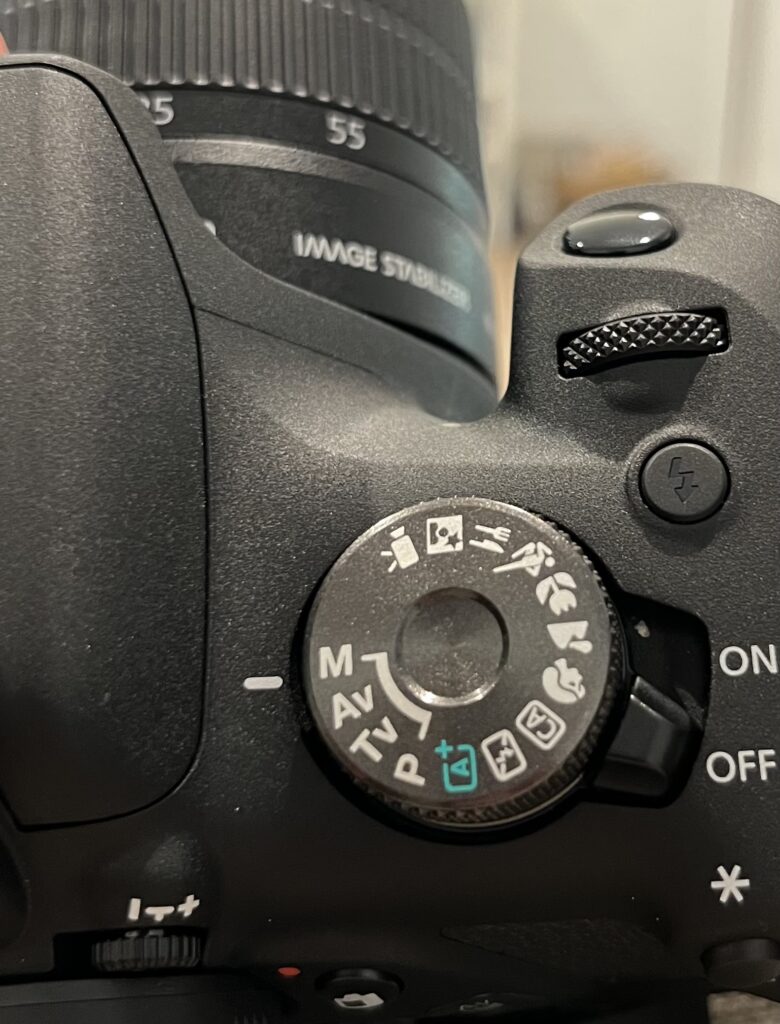
This is the camera’s mode dial that i have been using for photography. this dial includes video, night time, culinary/food, sports, macro, landscape, portrait, creative auto, no flash, automatic, program, time value, aperture value and manual.
VIDEO: is for filming, and we don’t use that in this class.
NIGHTTIME: this is for dark scenes. it uses flash and allows for a slow TV.
CULINARY/FOOD: this is for close up on food images.
SPORTS: is for sports images. it allows you to edit the shutter speed. this is for freezing the motion.
MACRO: is for close up images. it uses a faster shutter speed and a small DOF. this is very similar to portrait.
LANDSCAPE: uses a large DOF. it allows the image to remain mostly in focus instead of having the main subject in focus.
PORTRAIT: this uses small DOF. creates a blurred background.
CREATIVE AUTO: camera sets most settings. allows user small changes to settings like the color and white balance.
NO FLASH: this setting doesn’t use flash. camera decides settings.
AUTOMATIC: the camera decides settings. user can change small things like light settings.
PROGRAM: camera decides basic settings like TV, AV, and ISO.
TIME VALUE: user can change shutter speed. camera decides aperture and ISO.
APERTURE VALUE: user can change aperture. camera decides shutter speed and ISO.
MANUAL: allows user to change all components of exposure triangle; TV, AV, and ISO.
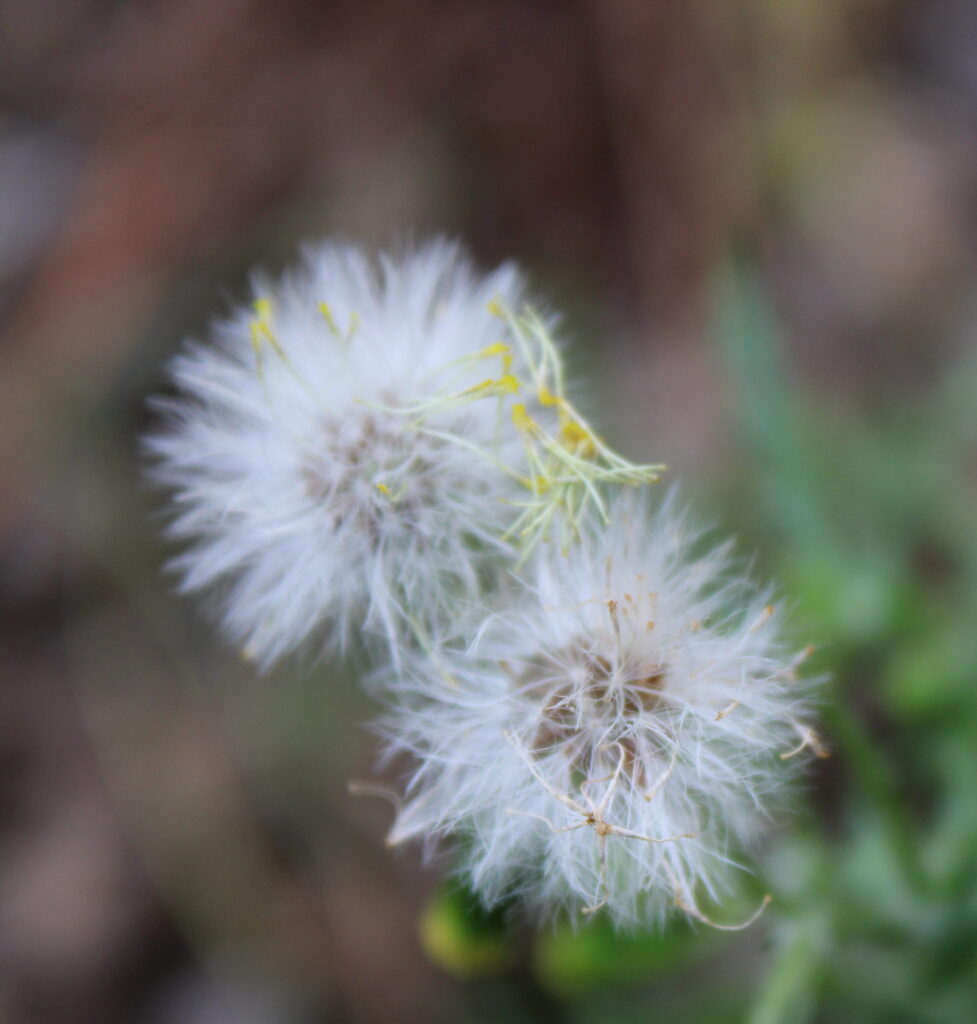
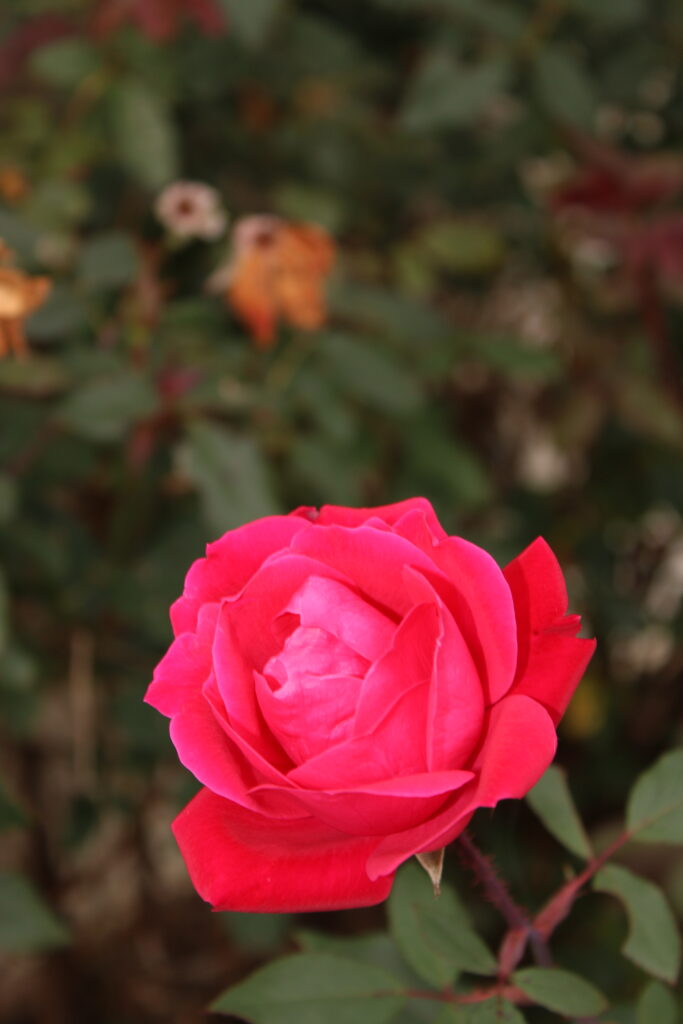
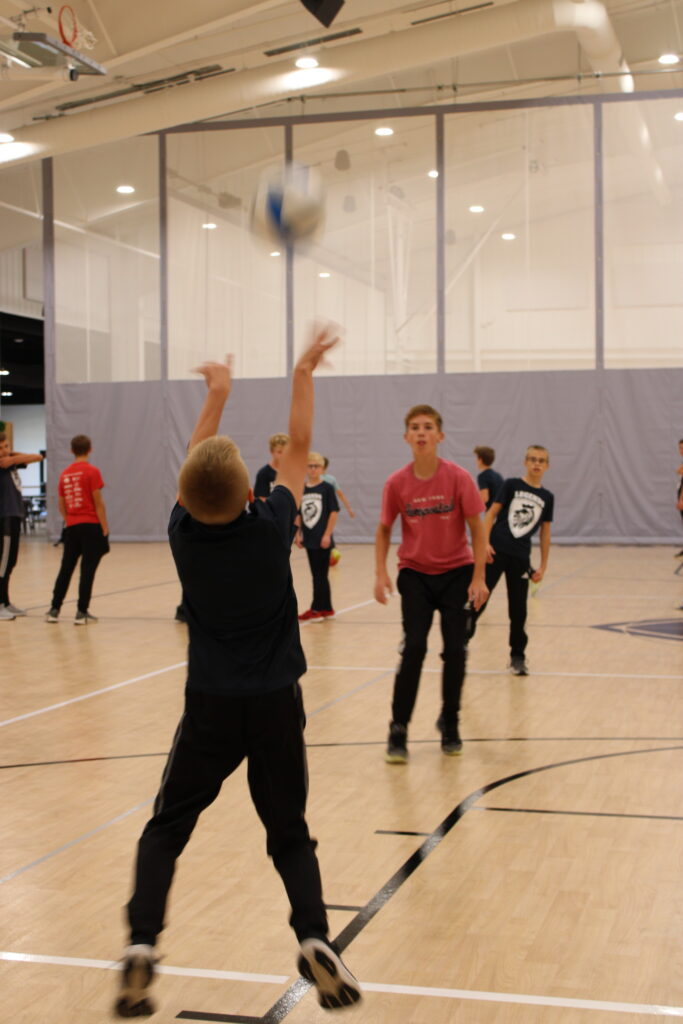
above images
1st: this is portrait mode. it has a main subject and a blurred background. something I would change about this picture is to have more of the stem in picture, and less blur in the background so it is easier to tell what it is.
middle: for this image, i used manual. it has a darker background and i like that, but it kind of overexposed the rose then, so i would change it to get a better balance between the background and main subject.
3rd: this image was sports mode or TV mode and is from the MS guys gym class during volleyball. i like that the setter is in focus, but his hands and the ball is blurred. something i would change next time is the perspective. next time i would take it so his face is in the picture and is focused so that you can see the expression while playing volleyball.
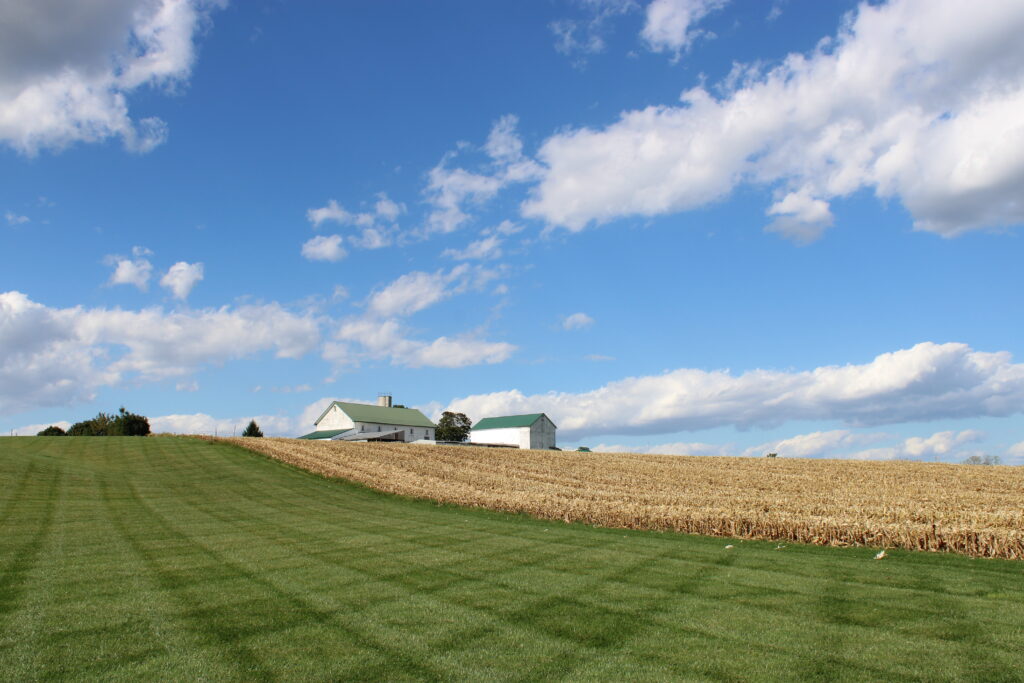
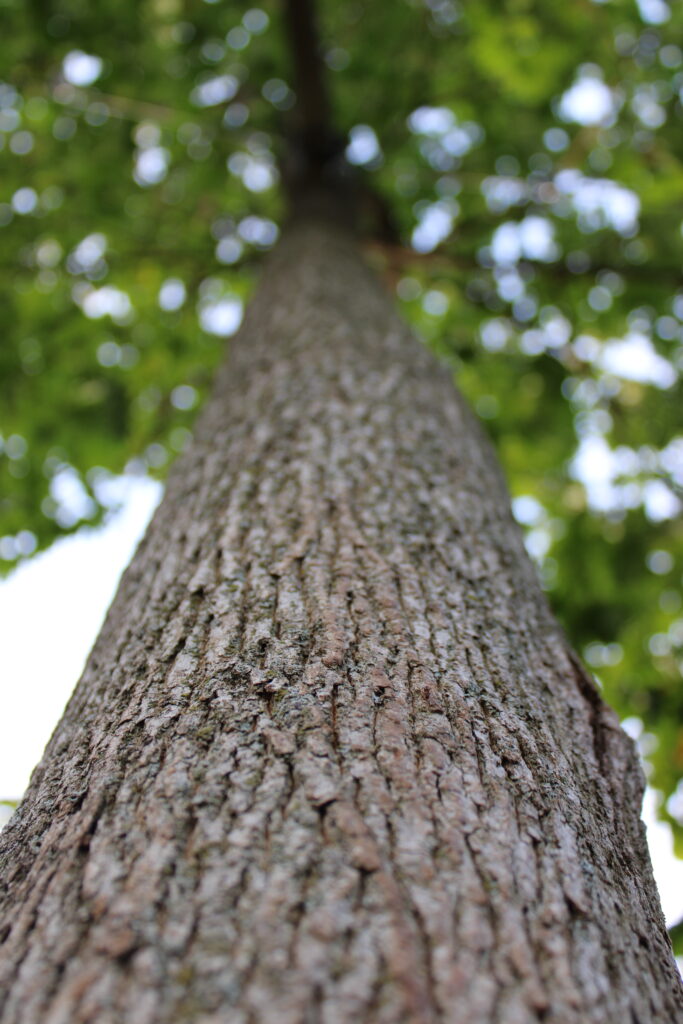
above images
1st: this is using landscape mode. this means the majority of the image is in focus. i like the vibrant sky and the contrast of the blue, green and the field. something i would change is try and get a view where the barn is easier to be the main subject while still keeping the whole image in focus.
2nd: this is in macro mode. the first part of the tree trunk is in focus, and then it slowly moves out of focus, until the leaves create “bokeh.” i like this picture because of the perspective i took it from it makes it look like a bigger tree than it actually is. something i would change is try to keep the blue of the sky more realistic. it really whitened it in this exact image.
this is my featured image because of the perspective. it is cool to use different perspective points because it really changes how you see an image.